
Capture
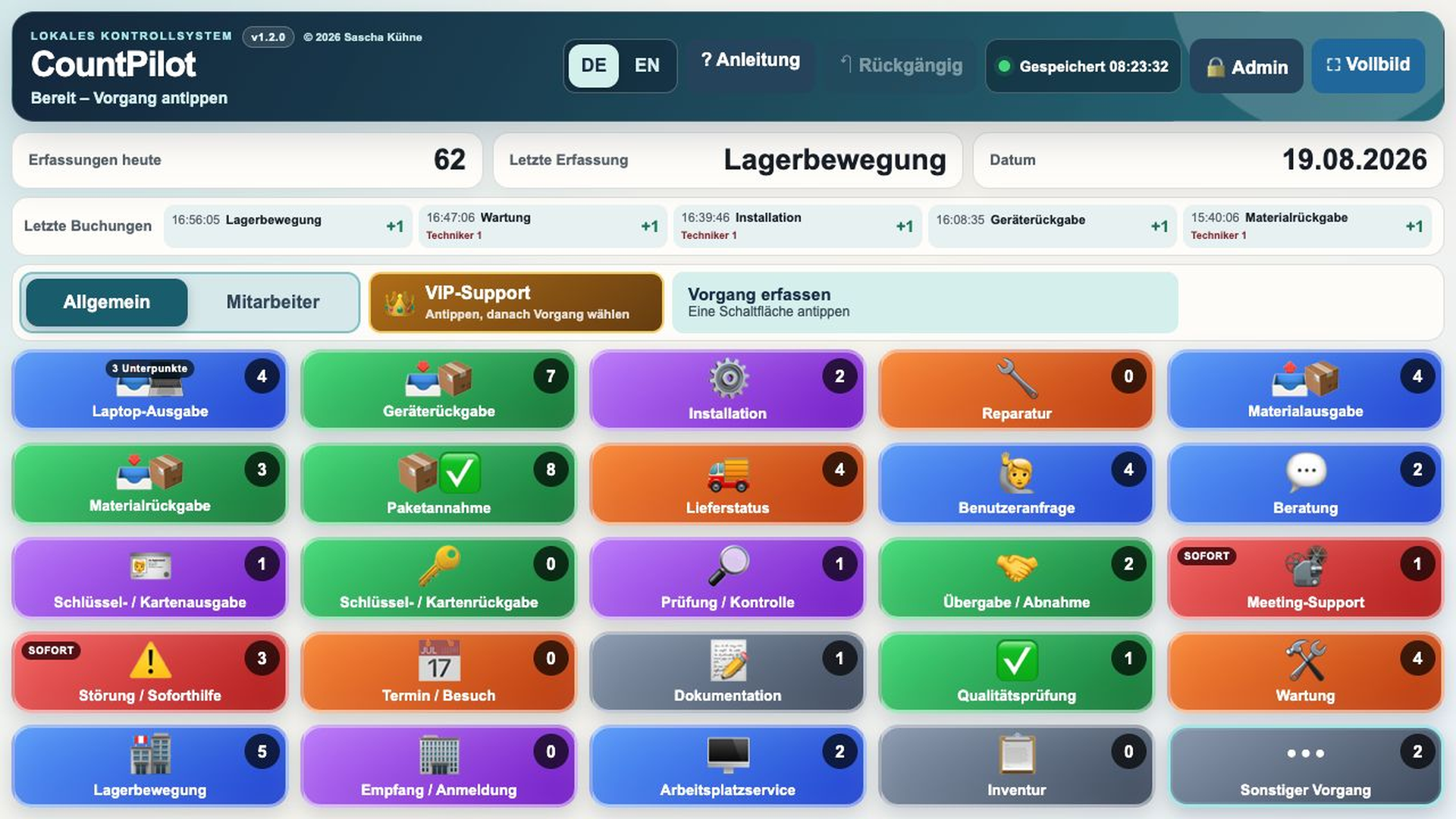
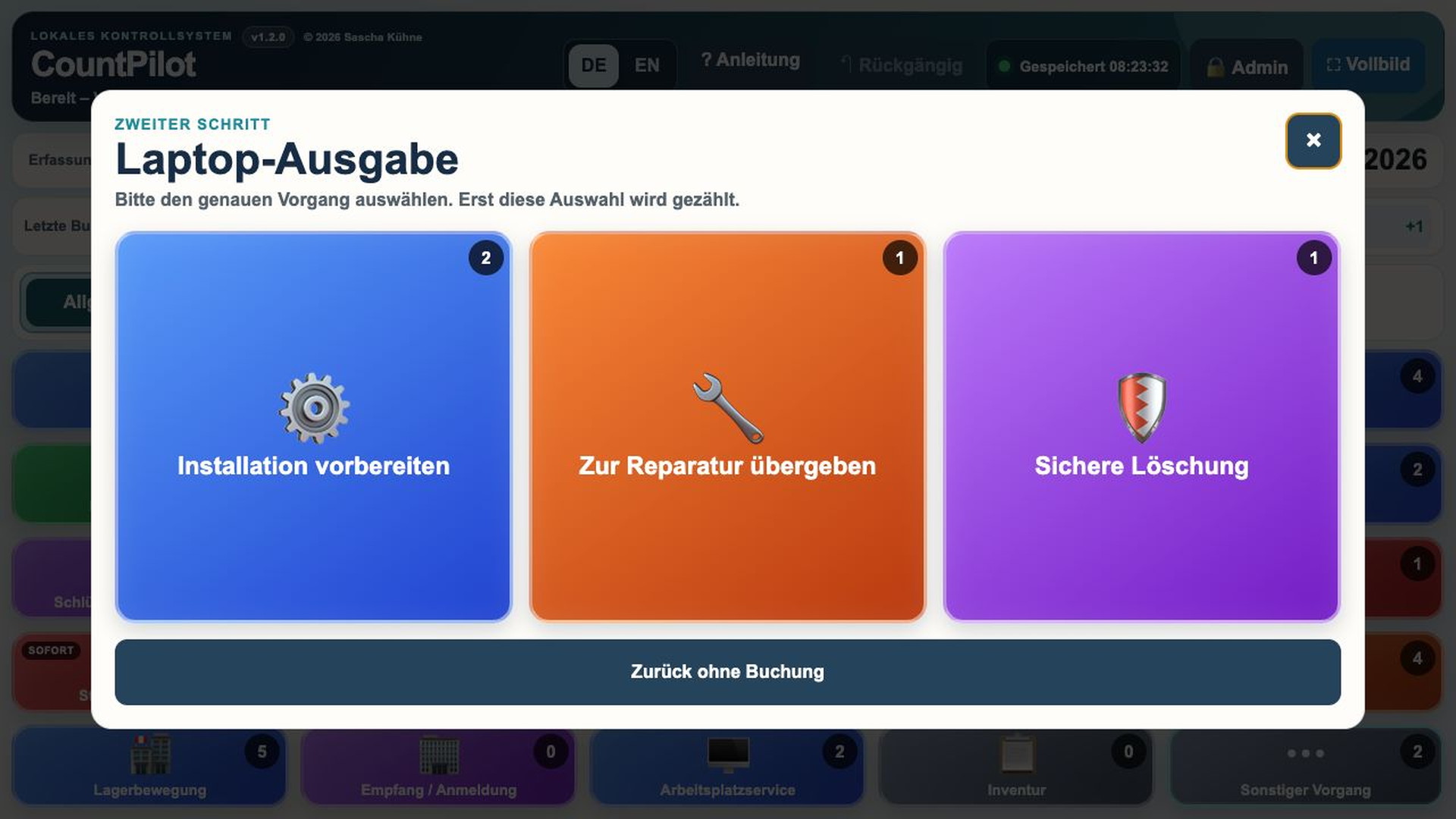
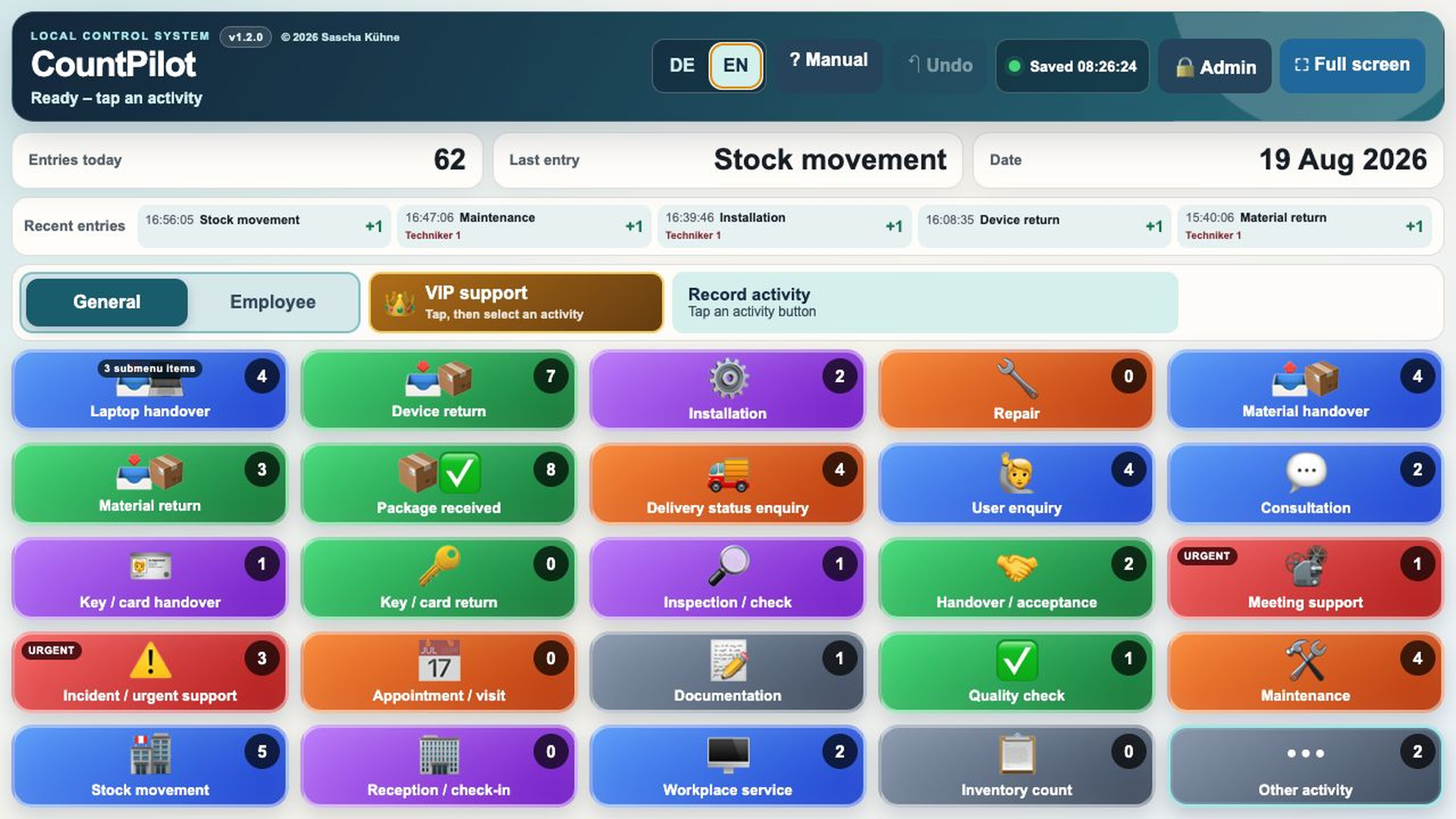
Record recurring activities with one touch. Use a submenu only when the next level of detail matters.
LOCAL ACTIVITY CAPTURE AND PLANNING
Log recurring service and operational activity with one touch. CountPilot turns those entries into daily, weekly and planning data, while your operational data stays in your local installation.

THE MISSING DATA IN EVERYDAY WORK
Issuing equipment. Answering questions. Receiving deliveries. Handing over repairs. Providing last-minute meeting support.
These activities consume time and capacity, yet many organisations either do not record them at all or require too much effort to do so.
Without the numbers, there is no reliable basis for understanding workload and planning resources.
That is where CountPilot comes in. It makes recurring activities visible with minimal additional effort.
FROM ONE TAP TO A PLANNING BASELINE
Record recurring activities with one touch. Use a submenu only when the next level of detail matters.
See daily and weekly patterns without rebuilding activity logs by hand.
Combine standard times and capacity assumptions into a transparent planning baseline.
WHAT MAKES COUNTPILOT DIFFERENT
Large, responsive touch controls allow recurring activities to be recorded directly where they happen.
Labels, colours, icons, order, standard times and submenus can be adapted to the way your organisation works.
CountPilot requires no vendor cloud and no user account. Operational data stays within the local installation.
Activity counts, standard times, capacity and target utilisation provide transparent planning indicators.
ADAPTS TO THE PROCESS
CountPilot can be configured for different use cases without changing the application code.
Activities can be assigned German and English labels, icons, colours, categories and standard times. Frequent activities stay on the main screen while more complex workflows use submenus.
Activities no longer required can be archived without losing historical data.
Explore all features →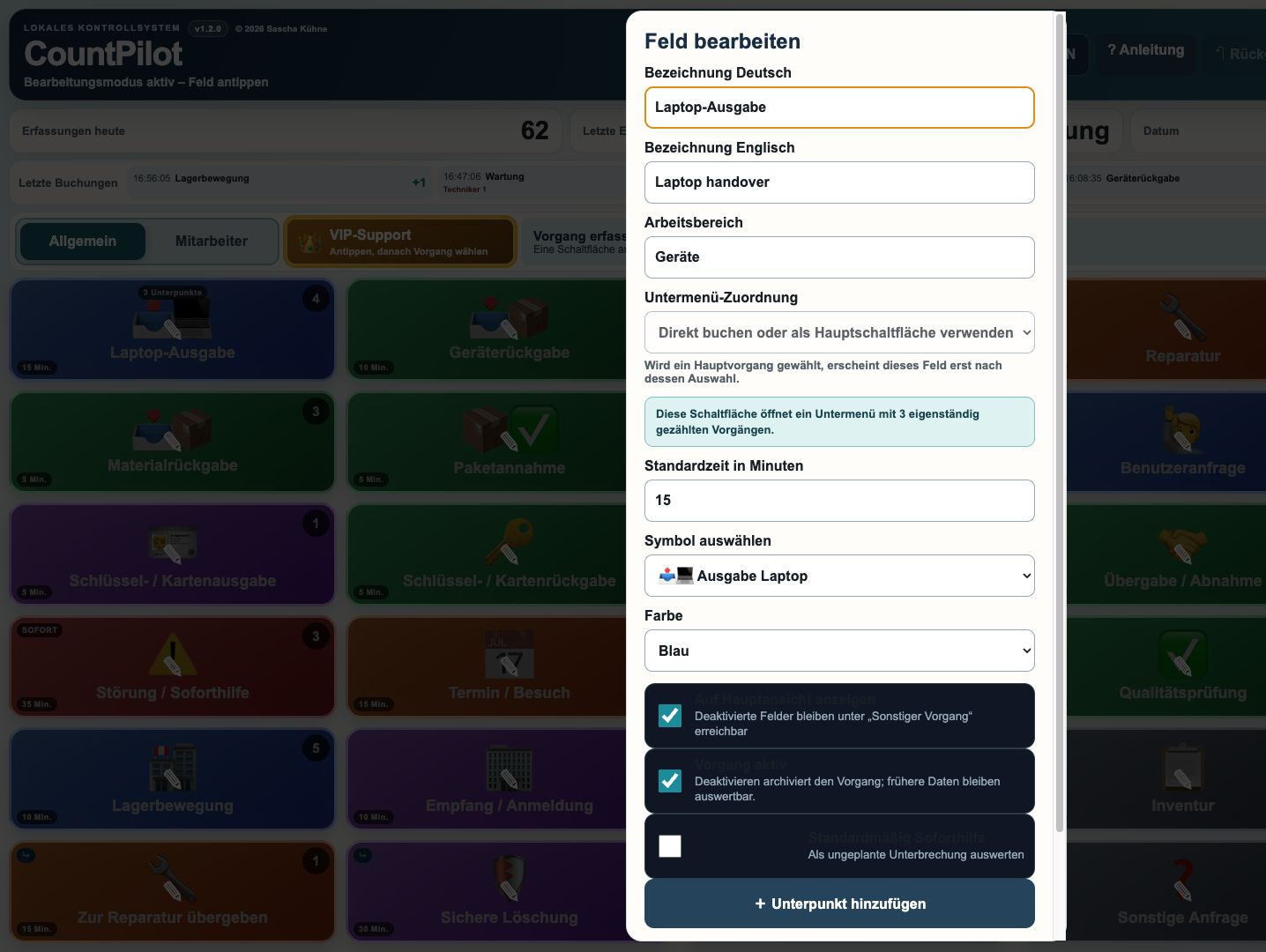
FLEXIBLE CAPTURE
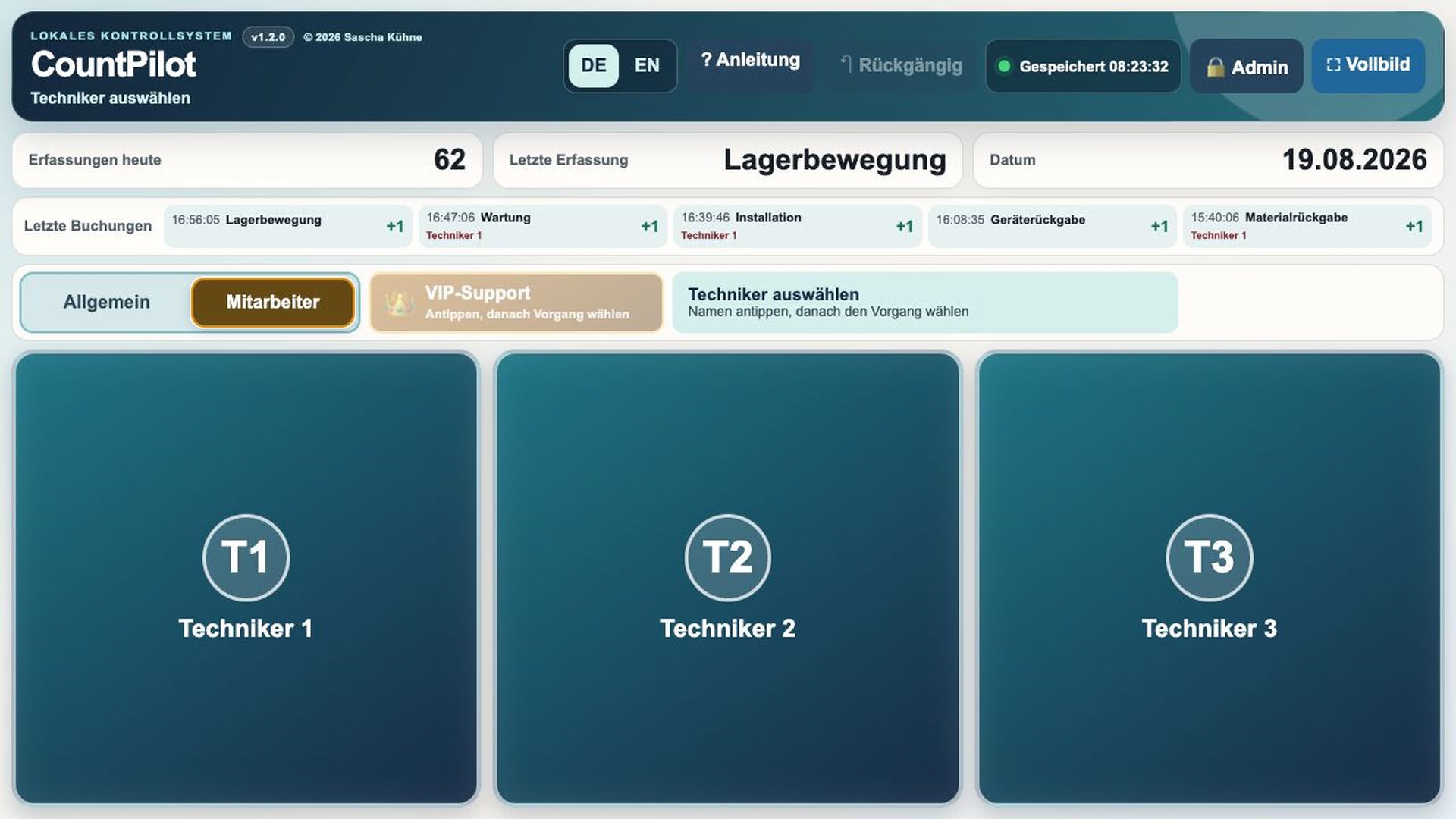
Entries are recorded without assigning them to an individual. This suits organisations focused on activity volumes, estimated workload and overall capacity.
An employee is selected before the activity. Individual working-hour profiles can then support more detailed capacity analysis.
TURN ACTIVITIES INTO INFORMATION
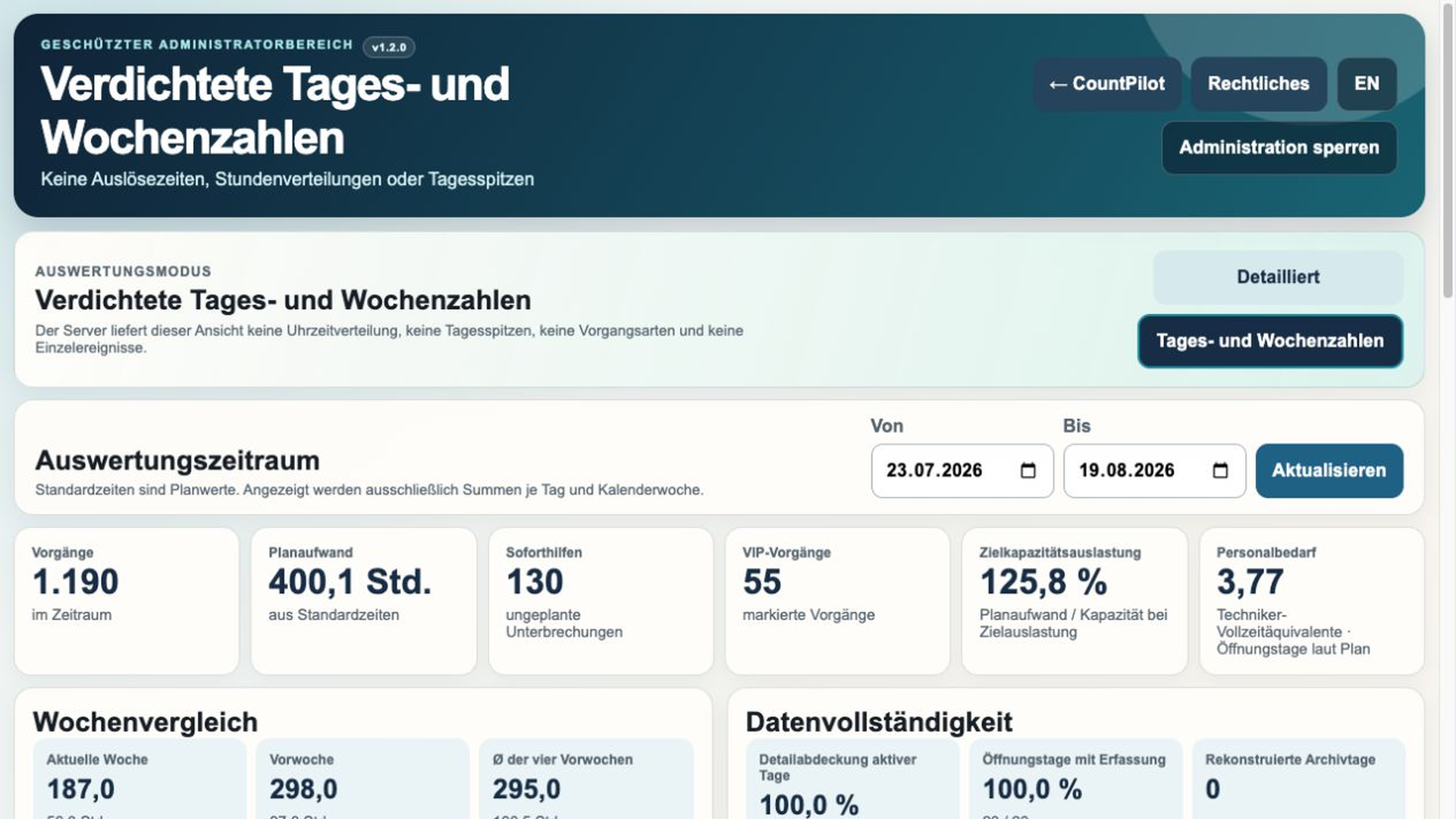
CountPilot turns individual entries into understandable daily, weekly and planning information.
Designed for normal planning use. Employee data, individual event times and peak-time details are excluded server-side from this reporting mode.
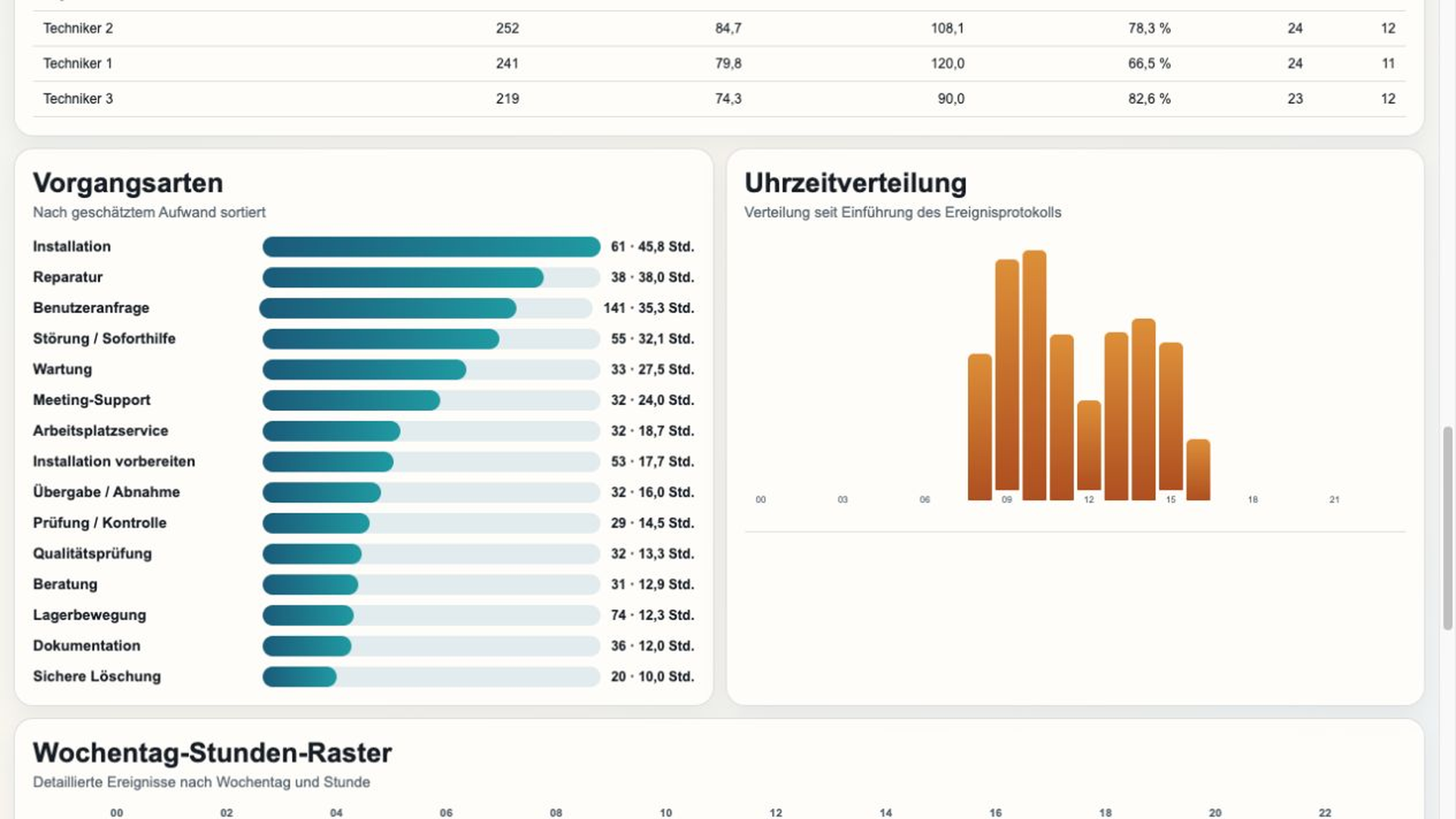
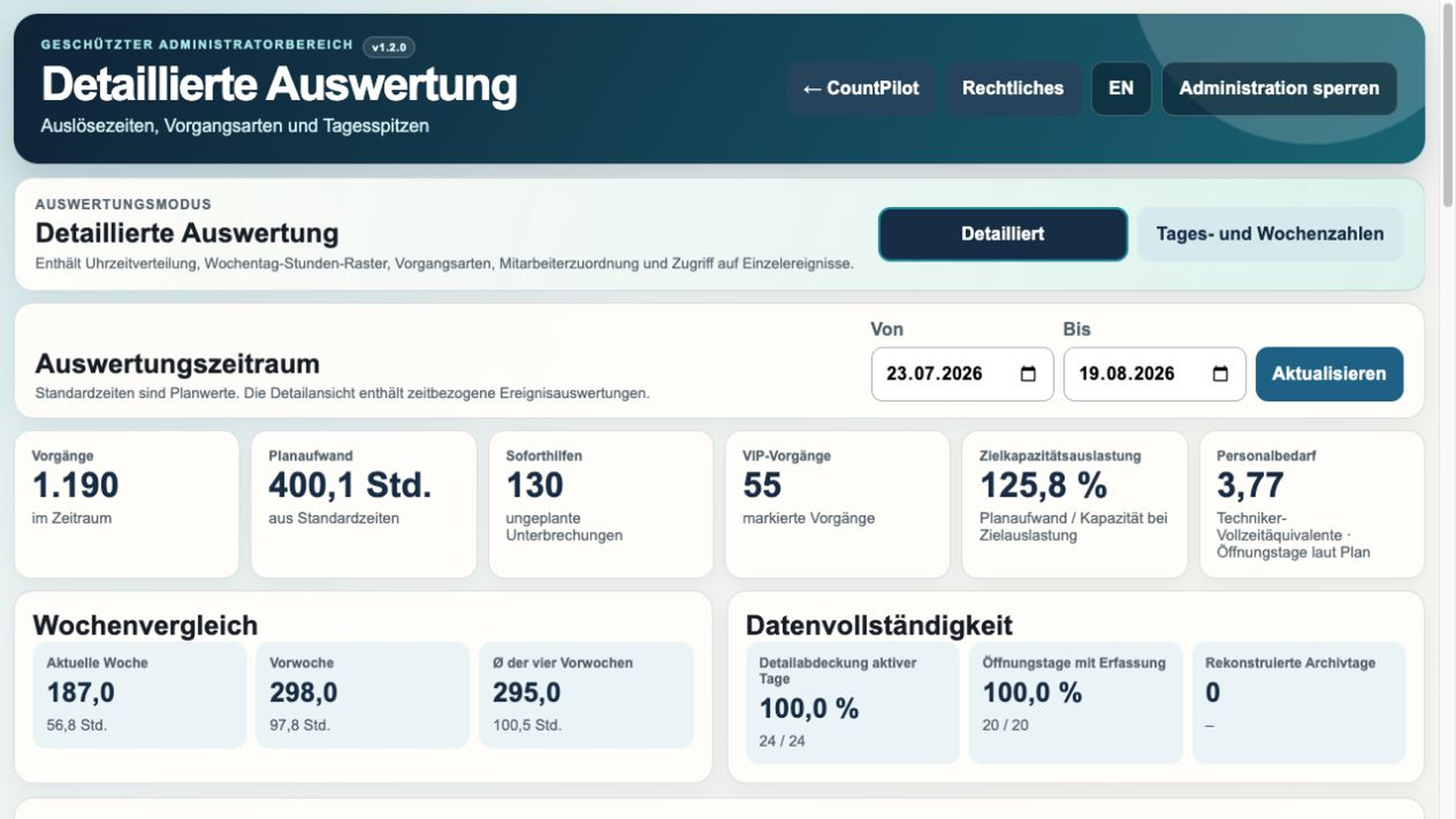
Designed for justified operational analysis, with activity types, hourly distribution, weekday-hour grids and optional differentiated employee information.
UNDERSTAND DEMAND
Not every activity requires the same amount of effort. CountPilot combines assigned standard times with available capacity and a configurable target utilisation.
LOCAL OPERATION
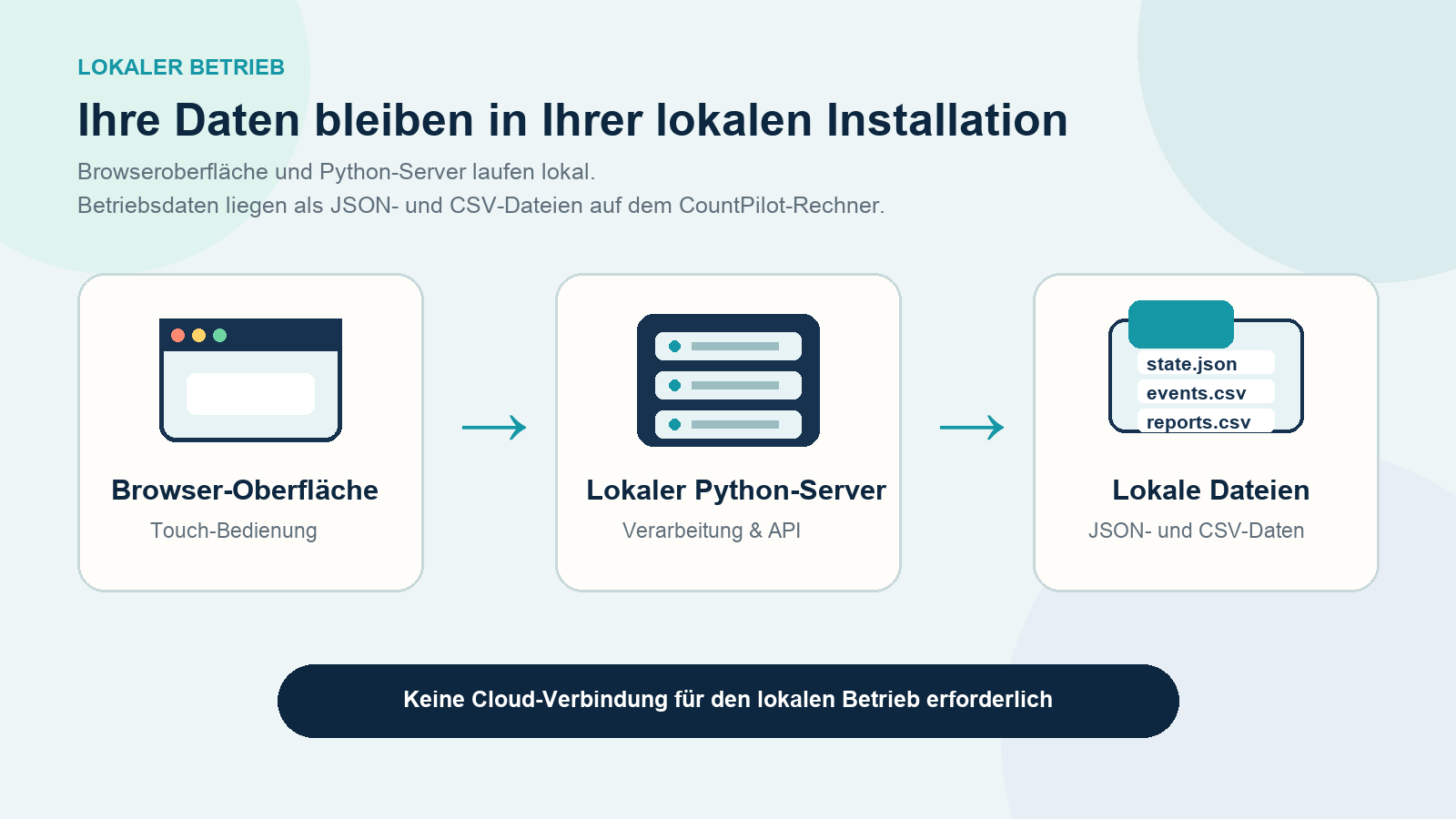
CountPilot is not a public cloud service. The interface runs in a modern browser while a small local Python server handles storage and reporting.
Configuration, events, daily archives, weekly reports and backups remain as local files within the installation.
FLEXIBLE USE CASES
Equipment issue and return, installation, repair, user questions, access issues, accessories, VIP and meeting support.
Issue, return, storage, disposal, package receipt and recurring material movements.
Capture incoming goods, withdrawals, returns and recurring logistics activities without replacing an inventory system.
Intake, diagnosis, repair, inspection, spare parts, handover and disposal.
Visitor enquiries, deliveries, information requests, forwarding and key or access-card issue.
Make network, projector, conferencing, room technology and unplanned technical support visible.
BILINGUAL
CountPilot supports German and English. Each operating device remembers its own language selection, so multiple devices can use different languages without changing shared configuration or activity counts.
LOCAL ON YOUR EXISTING HARDWARE
Primary target platform. Browser operation and Microsoft Edge kiosk mode suit fixed touch stations.
CountPilot can also be operated locally on macOS.
Technically compatible and suitable for appropriately administered installations.
Requires Python 3.9 or later, a modern browser and write access to the CountPilot folder. Optimised for 1920 × 1080 pixels.
PRACTICAL GUIDES
Learn how to account for support work outside ticket reports, frame capacity assumptions and set a sensible rule for walk-up demand.
30-DAY EVALUATION
Set up your recurring activities and see what becomes visible after a few days of real use.
No registration, no payment details and no automatic renewal.
Current version: 1.3.1 · 20 August 2026