
Aggregated
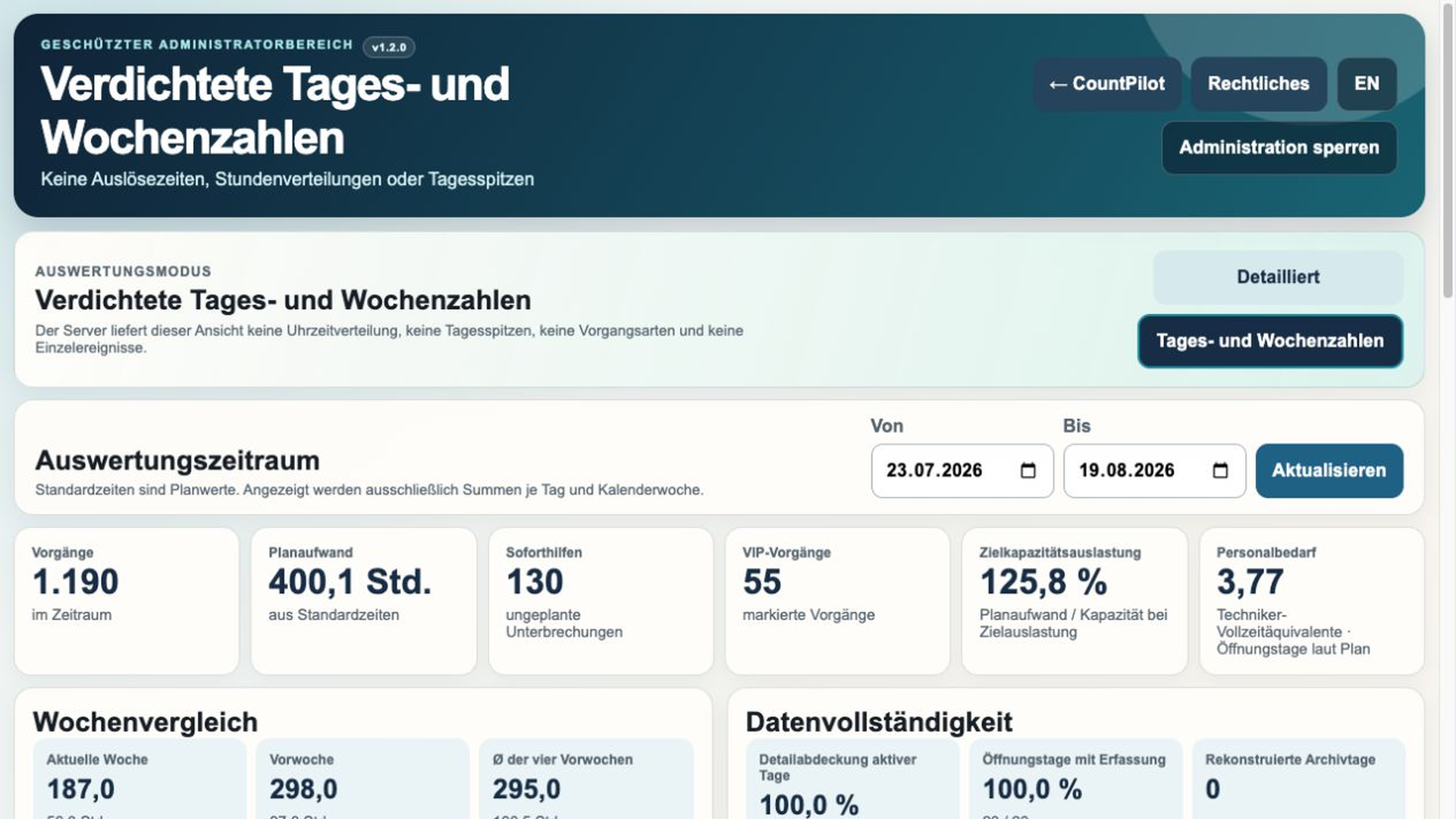
Daily and weekly values, comparison, capacity and data completeness. Employee data, event times, activity types and peak times are excluded server-side.
PRODUCT
CountPilot gives recurring, easy-to-overlook activity a fast way into your data without turning documentation into another job.
QUESTIONS OPERATIONS TEAMS KEEP ASKING
How many walk-up user requests do we actually handle?
How much effort goes into equipment handovers and returns?
Which recurring activities are growing week by week?
Do we need more capacity, or do we first need better evidence?
CountPilot does not pretend to make the decision for you. It provides a transparent baseline for spotting patterns, challenging assumptions and planning with better evidence.
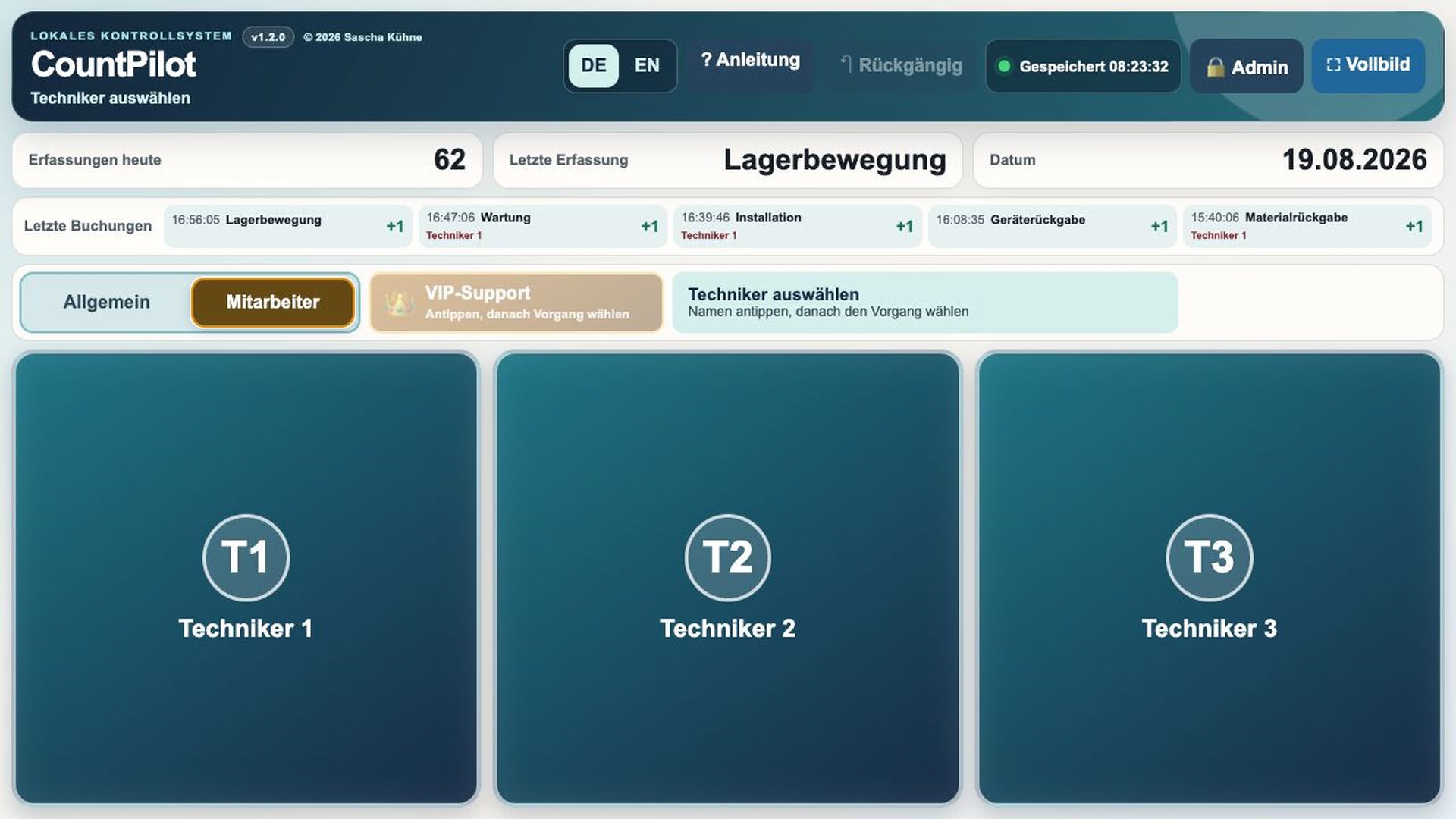
Large controls scale to fill the available screen. Common activities stay within immediate reach, so logging the work does not become a second workflow.
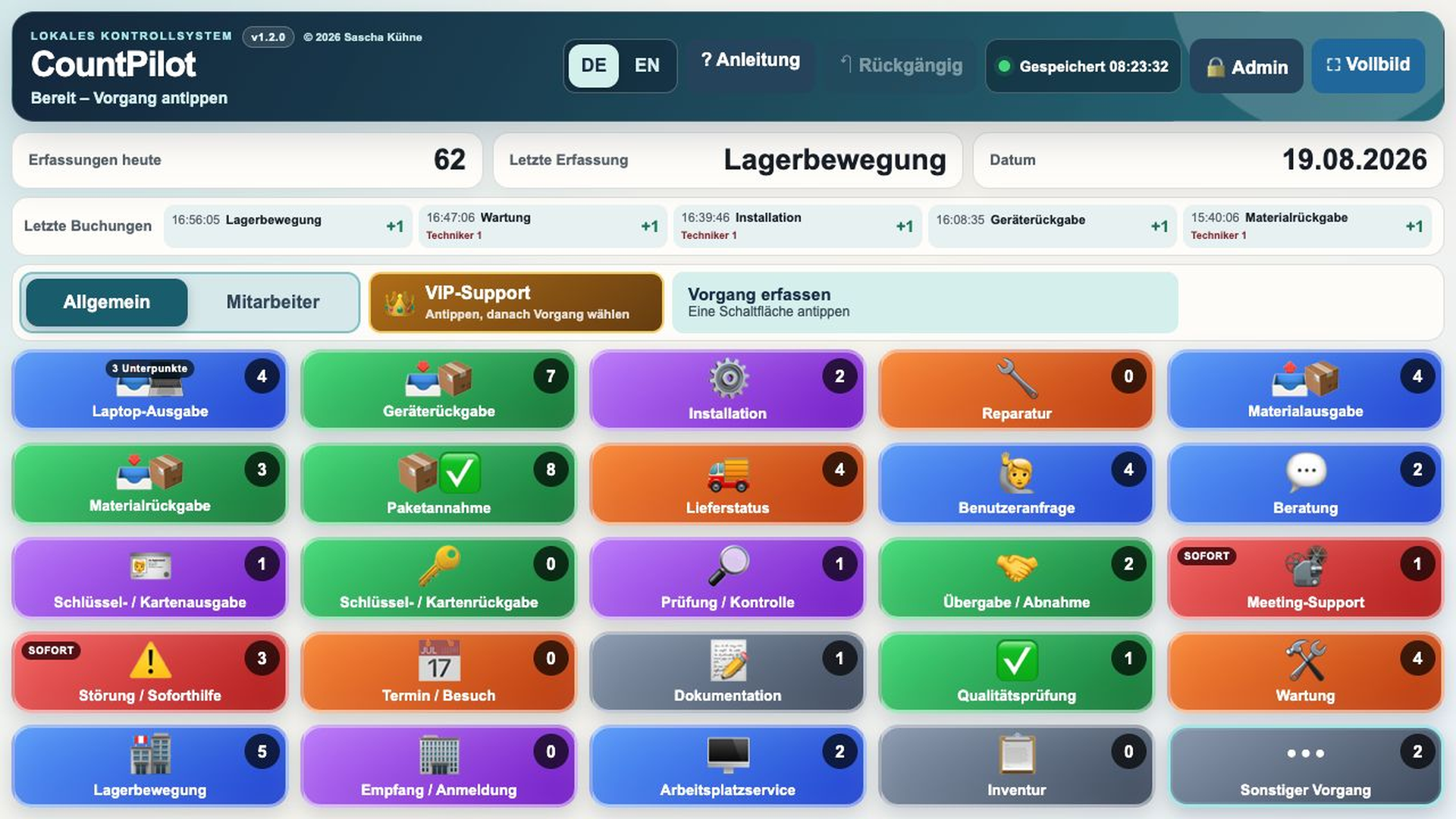
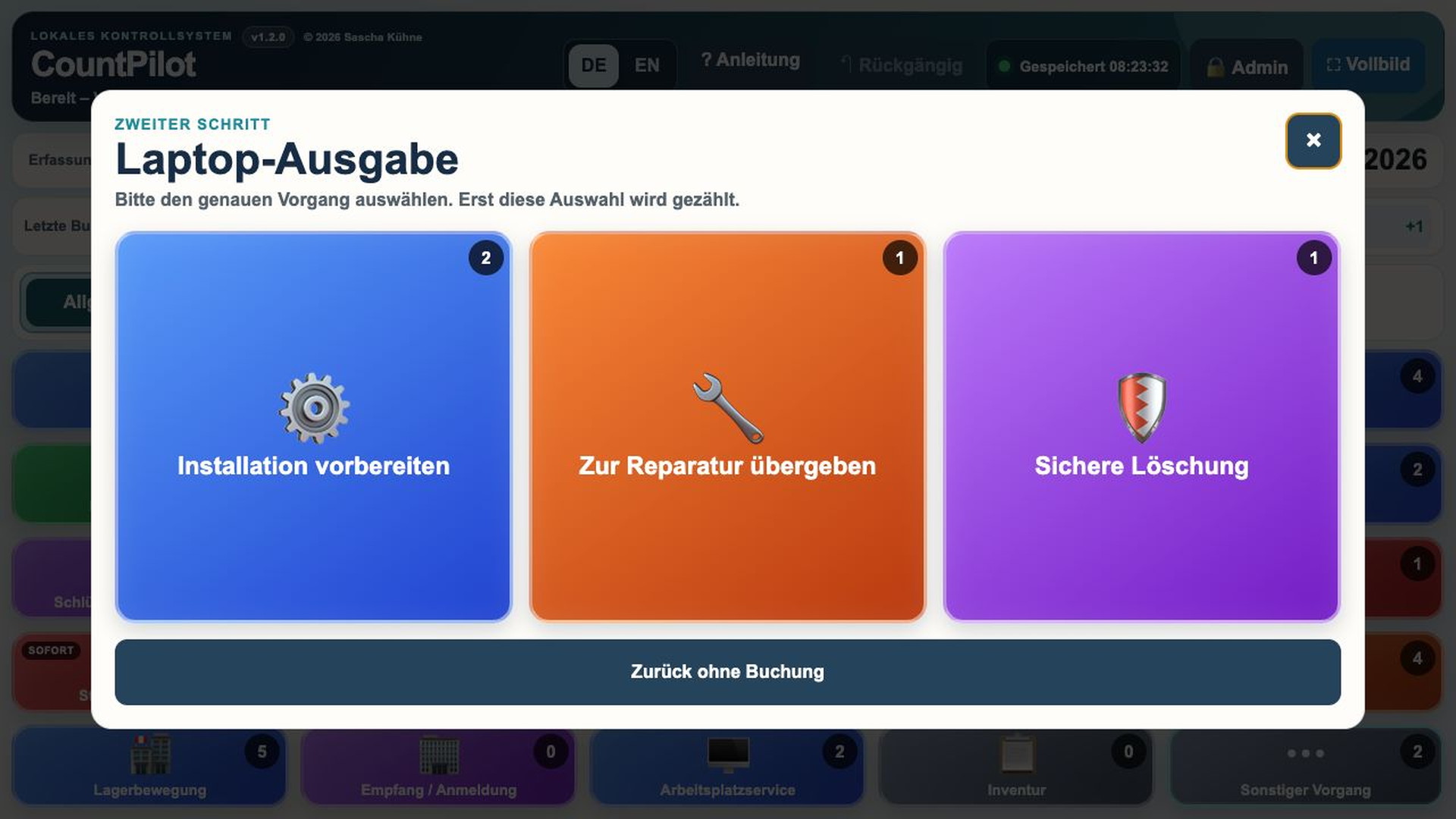
A frequent activity can be recorded directly. Where a distinction is needed, CountPilot opens a submenu. This keeps the main screen calm while supporting more complex workflows.
Example: laptop handover for installation, repair or secure erasure.
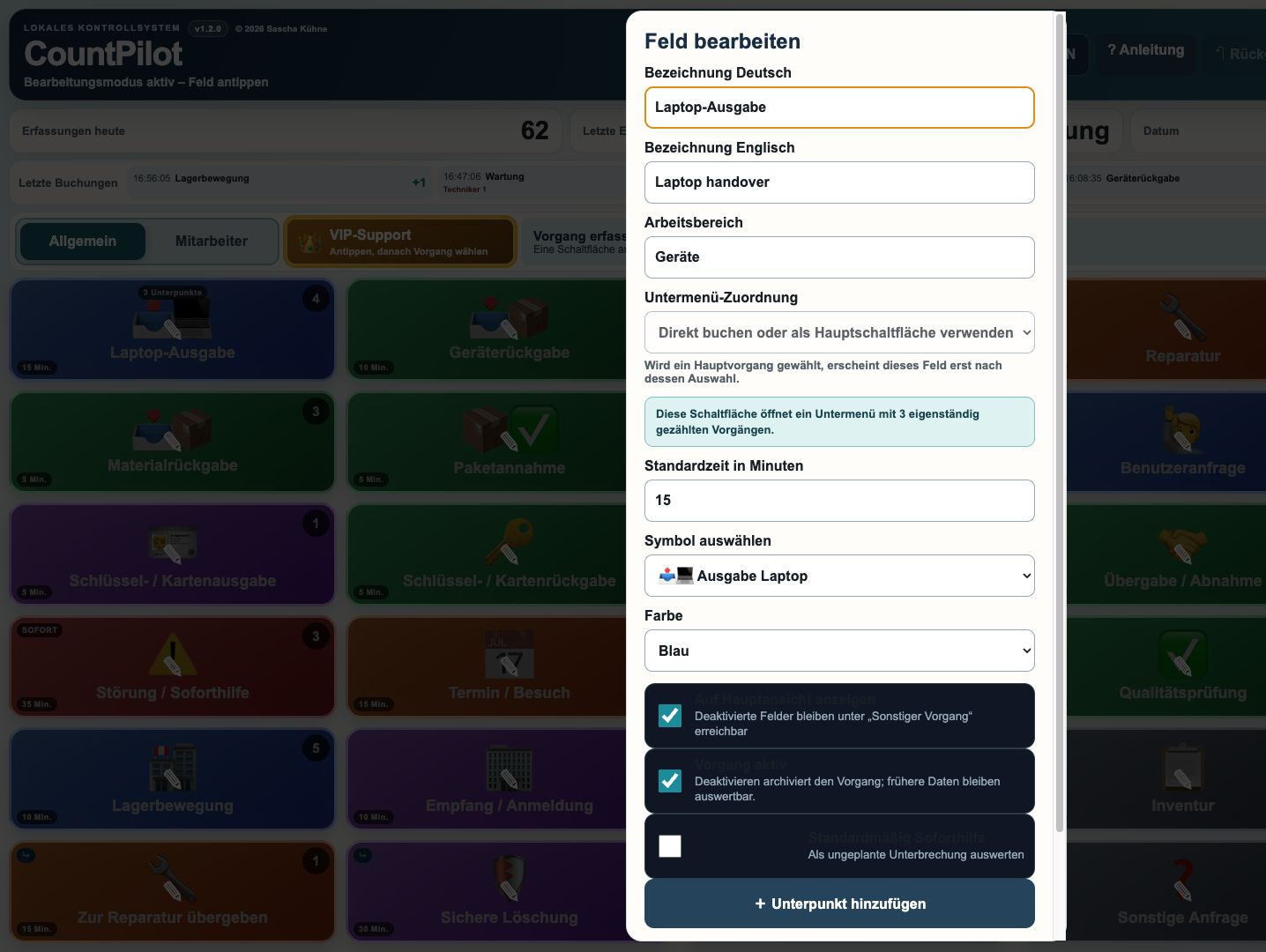
German and English labels, icon, colour, category, standard time, order and submenu can be edited in the PIN-protected administration area.
New activities can be added and obsolete ones archived. Field IDs and historical reporting remain intact. Configurations can be exported and imported.
General mode records entries without employee attribution. Employee mode first presents a neutral name selection and then the familiar activity screen. After the entry, CountPilot returns to employee selection.
Technicians can have individual, effective-dated working-hour profiles that contribute to capacity figures.
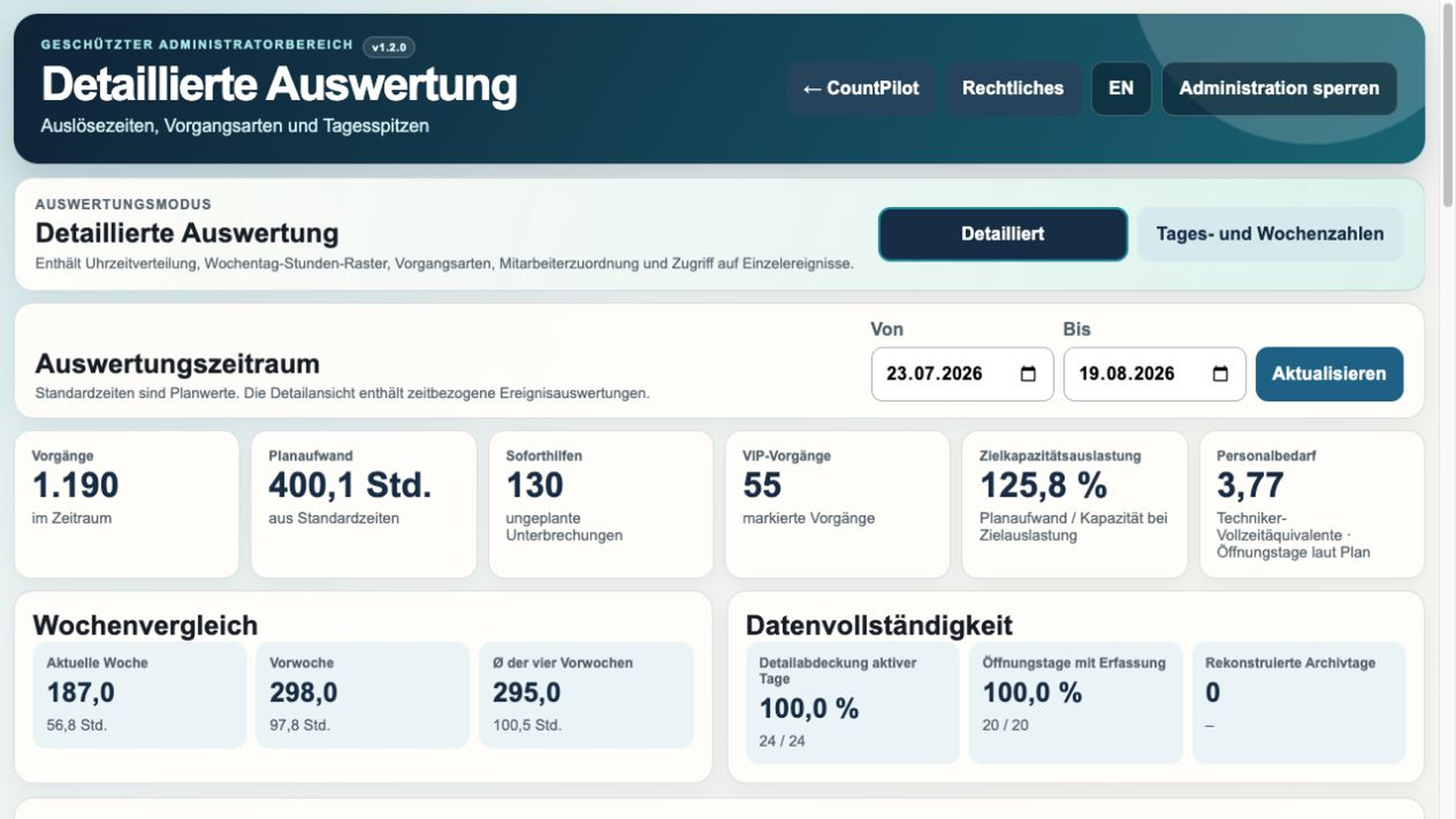
Daily and weekly values, comparison, capacity and data completeness. Employee data, event times, activity types and peak times are excluded server-side.
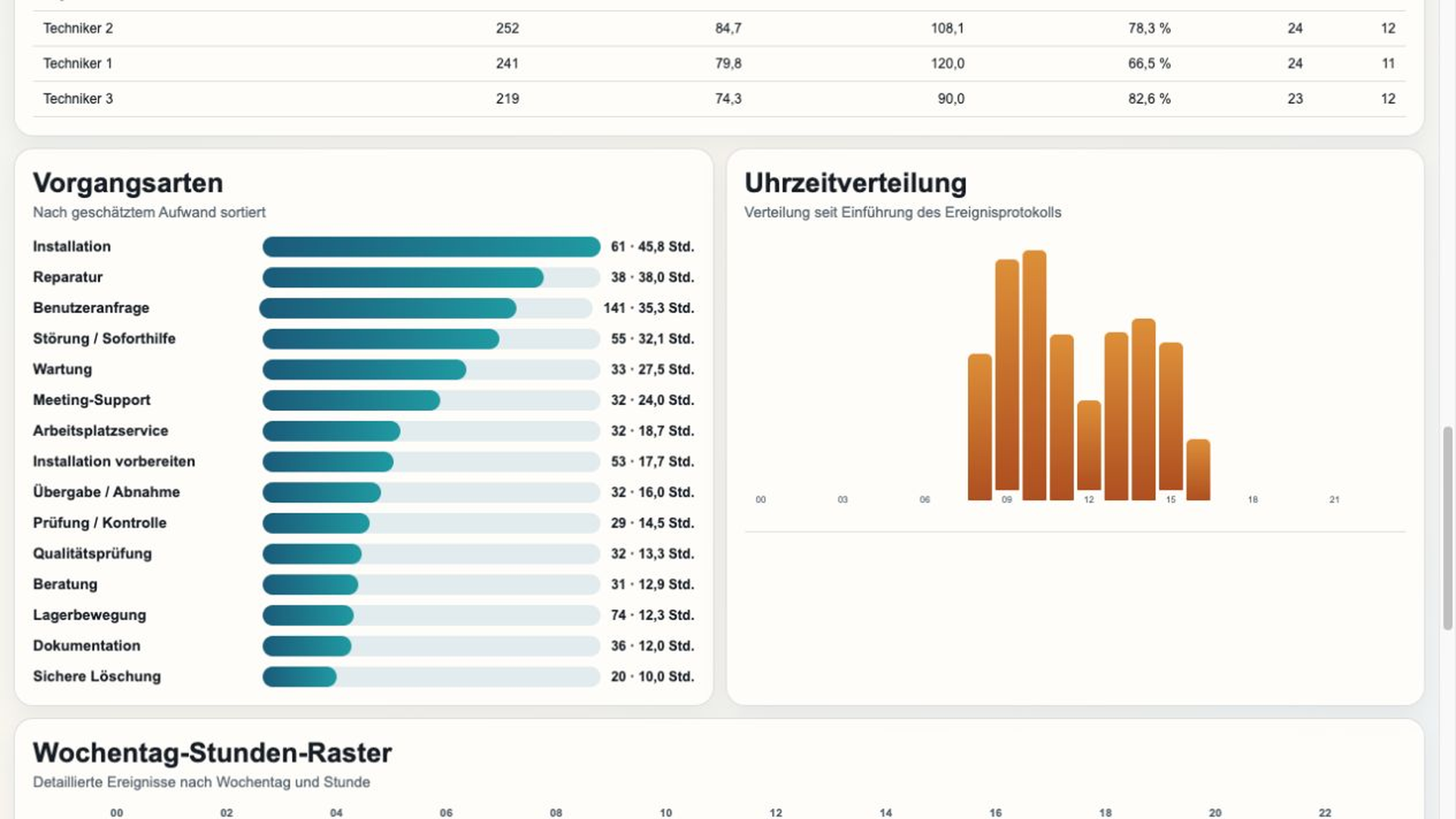
Activity types, hourly distribution, weekday-hour grid and optional employee differentiation for justified operational analysis.
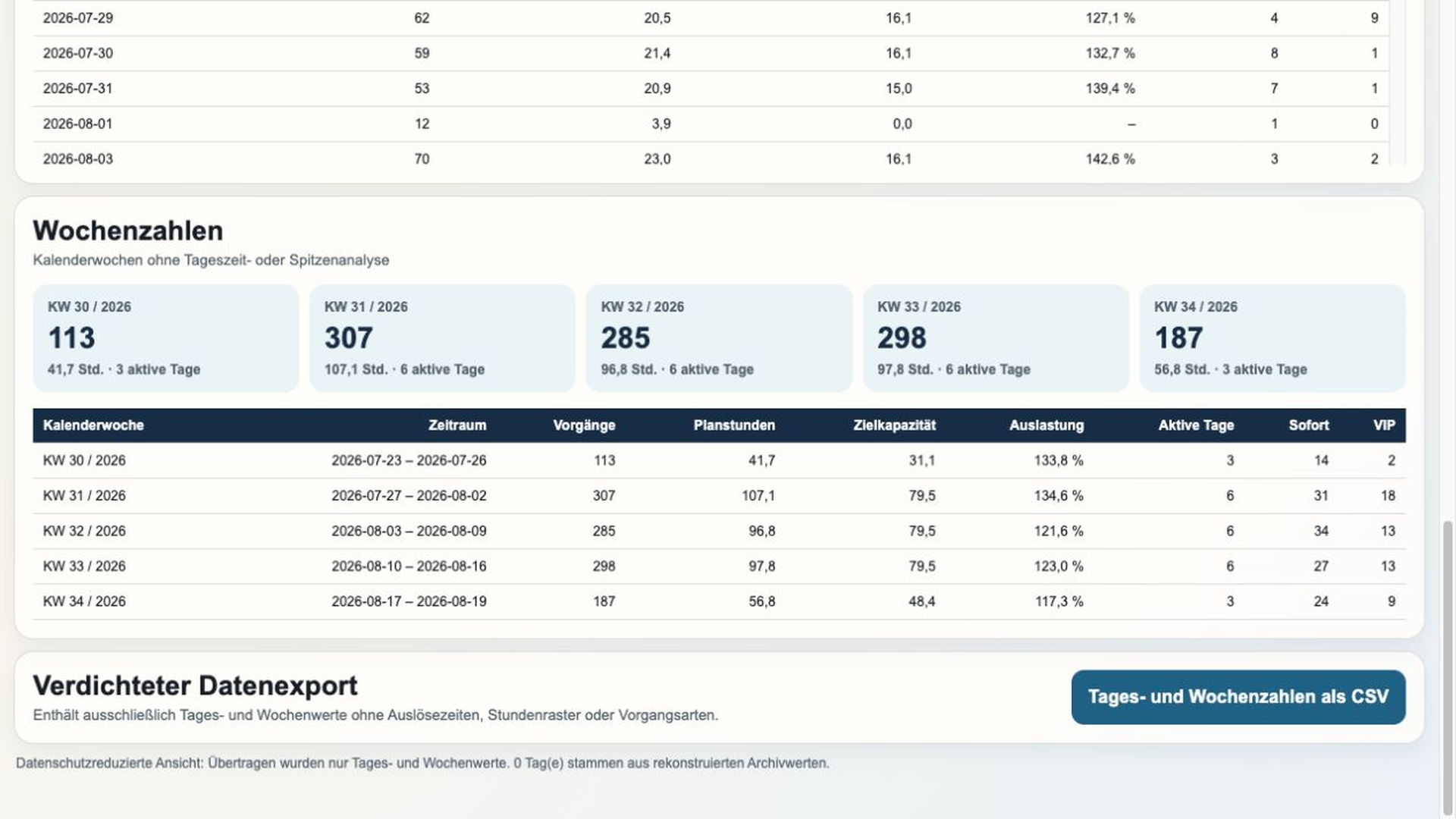
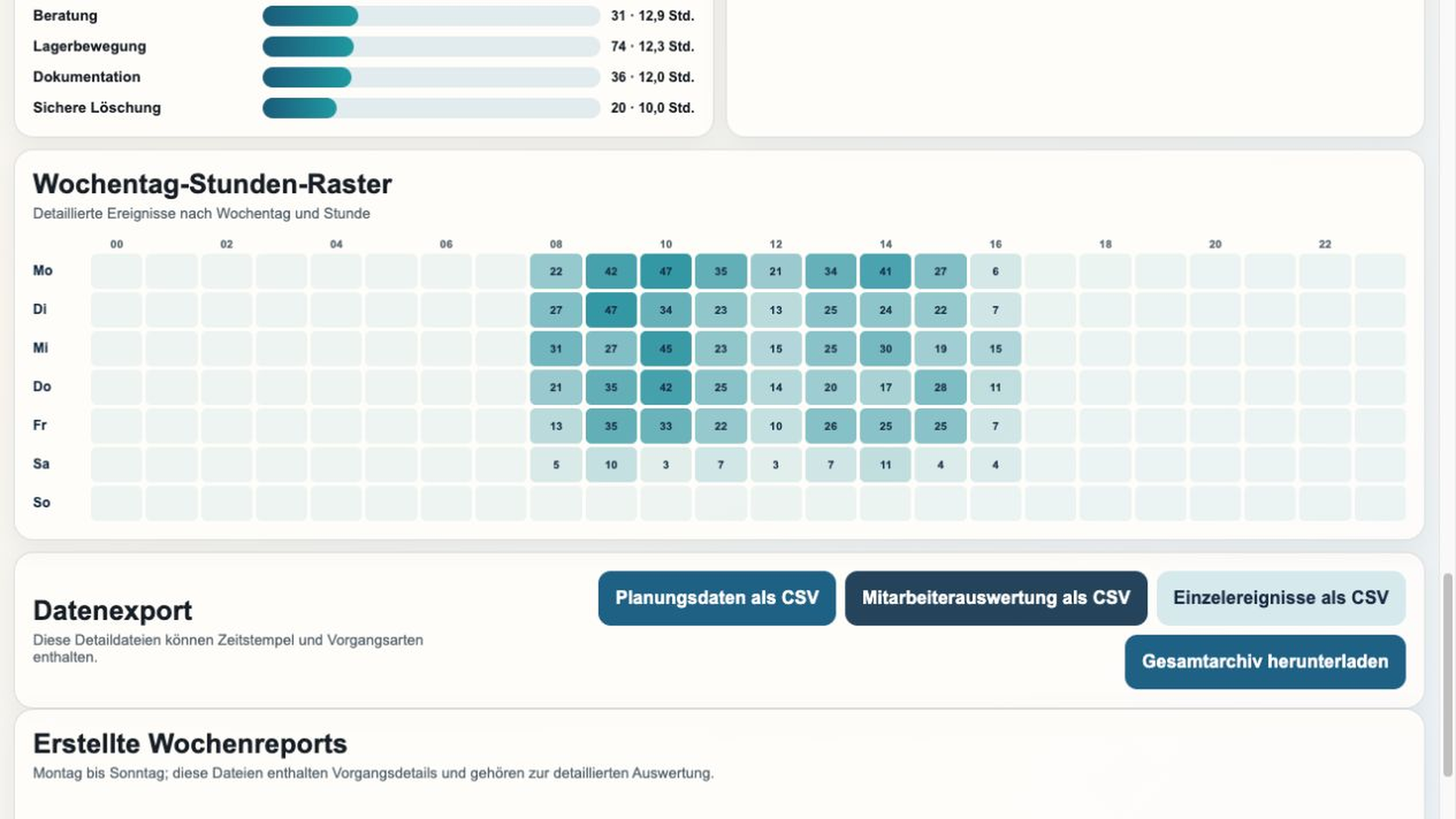
Before the automatic reset, CountPilot stores the completed daily total in the daily archive. After Sunday closes, a weekly report covers Monday through Sunday, with calendar week and year in the filename.
The complete activity log can be exported as CSV. Historical and current values remain available together.
EXAMPLE DATA · FULLY SYNTHETIC
This example shows how scattered, easy-to-miss work can become one shared operational baseline.
The insight you gain depends on your configuration, assigned standard times and the completeness of your activity capture.
Standard times, active or opening days, working-hour profiles, technician numbers and target utilisation provide a transparent planning basis. Previous-week comparison, a rolling four-week average and data completeness support interpretation.
Reconstructed historical daily values are labelled as using the current standard time where no original event time exists.
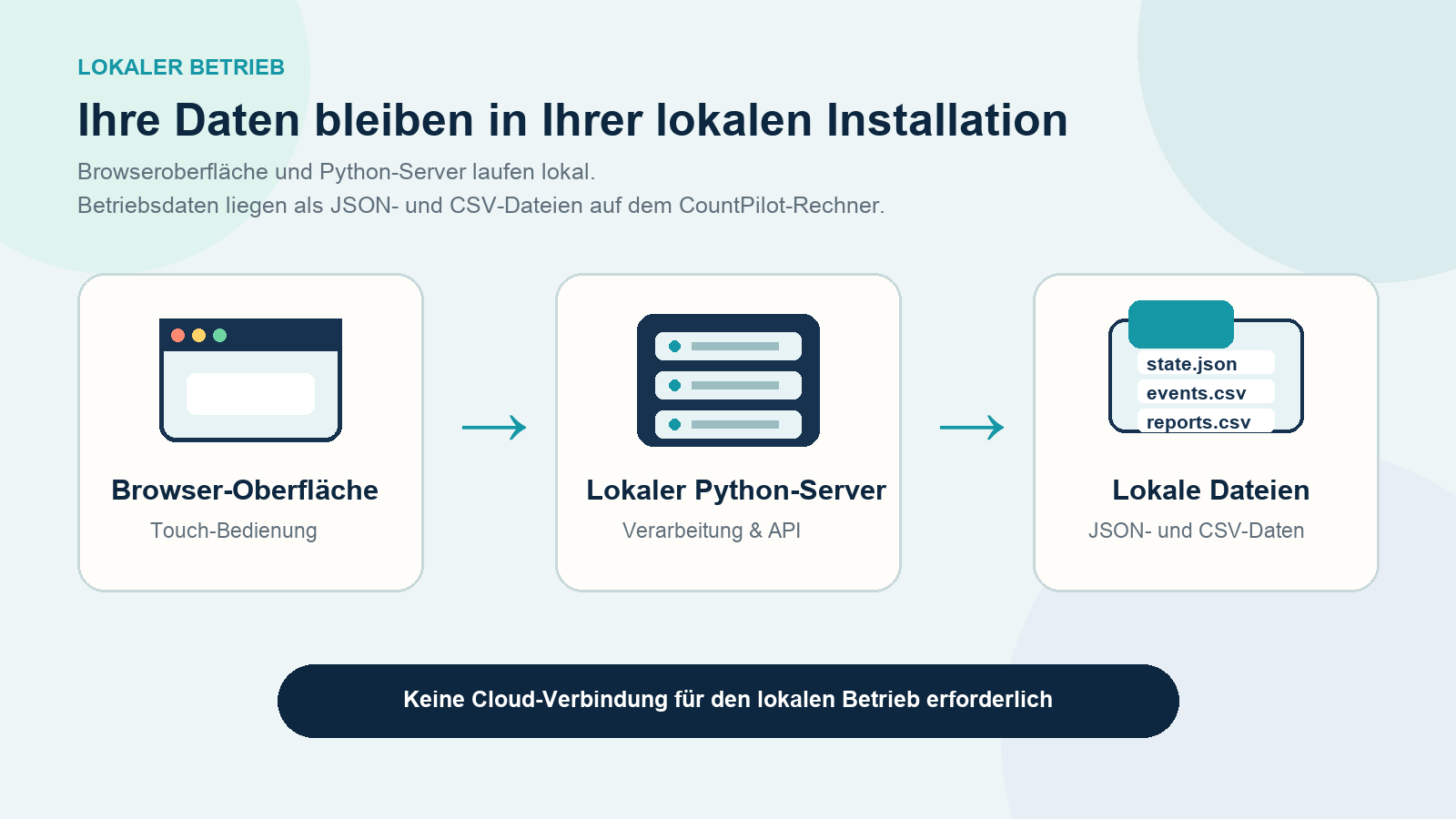
Touch-optimised operation in Edge, Chrome or Safari.
Local API, storage, daily rollover and reporting.
JSON and CSV files without an external database.
Automatic backups inside the installation.
UNDERSTAND THE METHOD
30-DAY EVALUATION
Configure CountPilot around the activities your team handles every day. No account or payment details required.
Current version: 1.3.1 · 20 August 2026